
Context
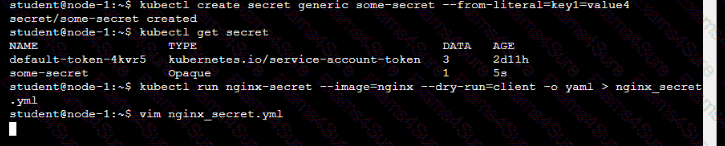
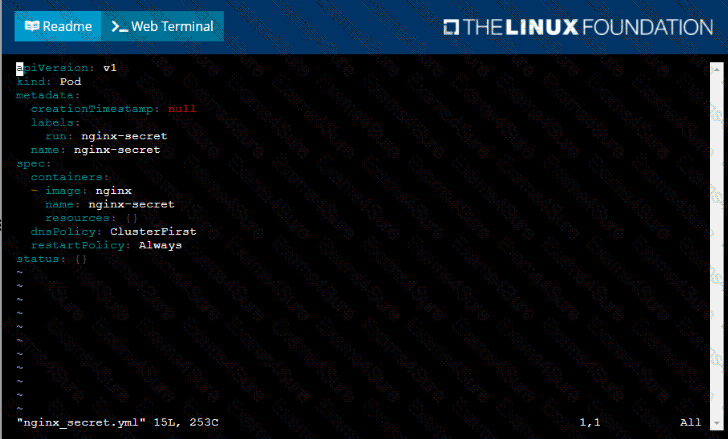
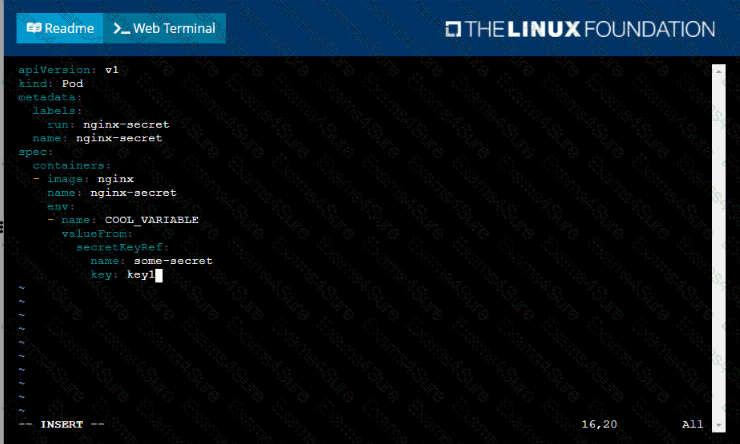
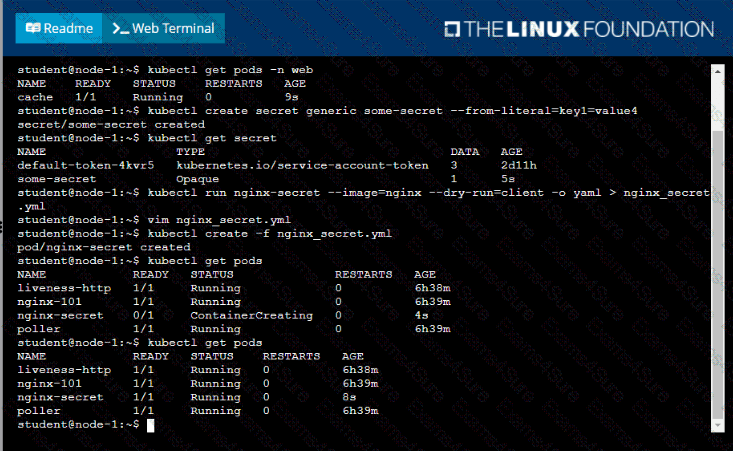
You are tasked to create a secret and consume the secret in a pod using environment variables as follow:
Task
• Create a secret named another-secret with a key/value pair; key1/value4
• Start an nginx pod named nginx-secret using container image nginx, and add an environment variable exposing the value of the secret key key 1, using COOL_VARIABLE as the name for the environment variable inside the pod
Context
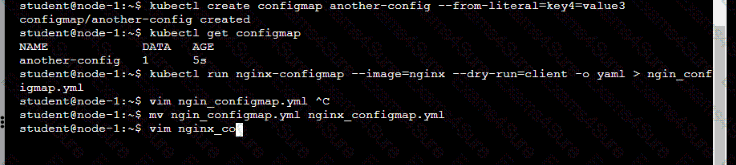
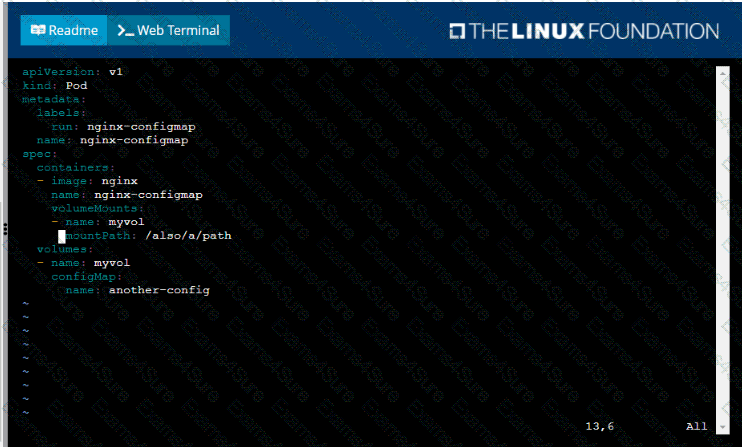
You are tasked to create a ConfigMap and consume the ConfigMap in a pod using a volume mount.
Task
Please complete the following:
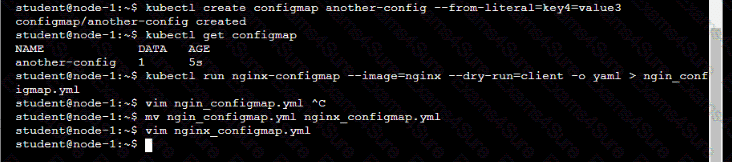
• Create a ConfigMap named another-config containing the key/value pair: key4/value3
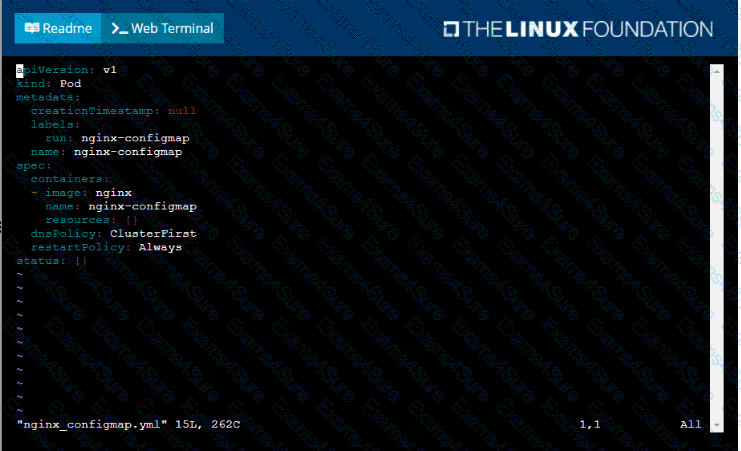
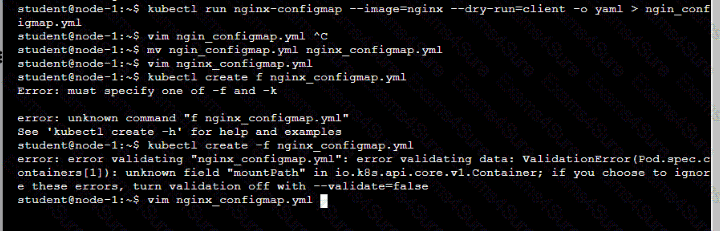
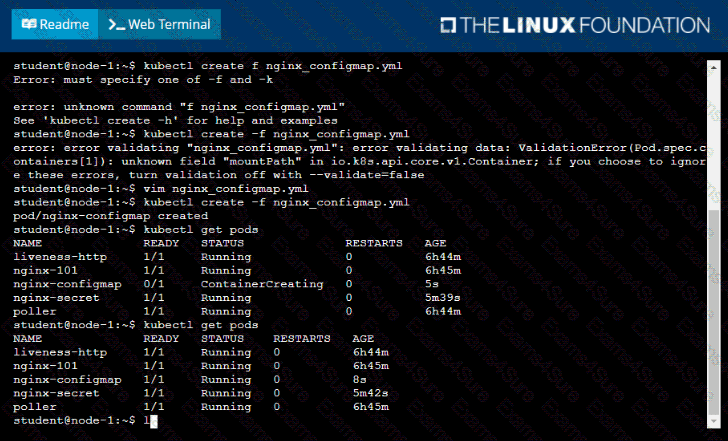
• start a pod named nginx-configmap containing a single container using the
nginx image, and mount the key you just created into the pod under directory /also/a/path
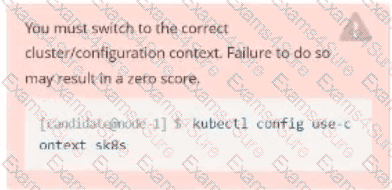
Set Configuration Context:
[student@node-1] $ | kubectl
Config use-context k8s
Context
A pod is running on the cluster but it is not responding.
Task
The desired behavior is to have Kubemetes restart the pod when an endpoint returns an HTTP 500 on the /healthz endpoint. The service, probe-pod, should never send traffic to the pod while it is failing. Please complete the following:
• The application has an endpoint, /started, that will indicate if it can accept traffic by returning an HTTP 200. If the endpoint returns an HTTP 500, the application has not yet finished initialization.
• The application has another endpoint /healthz that will indicate if the application is still working as expected by returning an HTTP 200. If the endpoint returns an HTTP 500 the application is no longer responsive.
• Configure the probe-pod pod provided to use these endpoints
• The probes should use port 8080
Set Configuration Context:
[student@node-1] $ | kubectl
Config use-context k8s
Context
A user has reported an aopticauon is unteachable due to a failing livenessProbe .
Task
Perform the following tasks:
• Find the broken pod and store its name and namespace to /opt/KDOB00401/broken.txt in the format:

The output file has already been created
• Store the associated error events to a file /opt/KDOB00401/error.txt, The output file has already been created. You will need to use the -o wide output specifier with your command
• Fix the issue.
Context
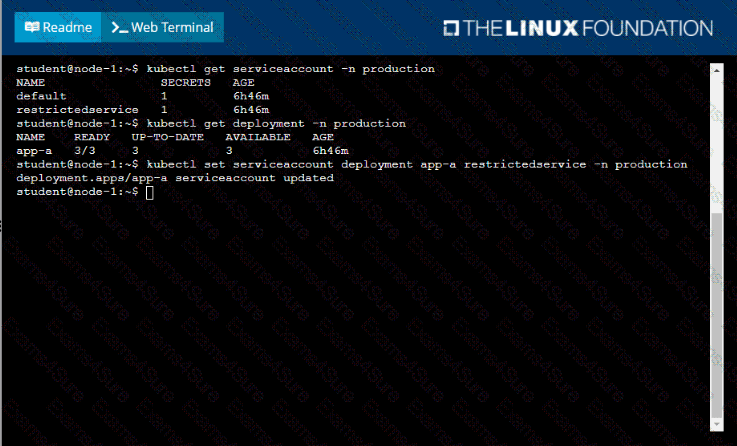
Your application’s namespace requires a specific service account to be used.
Task
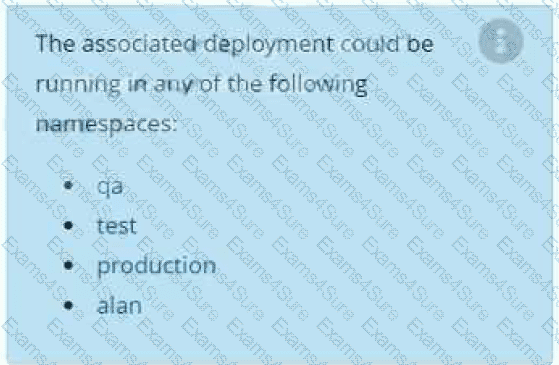
Update the app-a deployment in the production namespace to run as the restrictedservice service account. The service account has already been created.
Context
You must connect to the correct host . Failure to do so may result in a zero score.
[candidate@base] $ ssh ckad00043
A Deployment needs specific RBAC permissions.
Task
First, find the RBAC permissions needed by the scraper Deployment running in the
cute-panda namespace .
it kubectl logs may help you to find the permissions it needs.
Next, create a new ServiceAccount named scraper in the namespace cute-panda.
Context
You are asked to set resource requests and limits for a running workload to ensure fair resource management.
“Do not delete the existing Deployment . Failure to do so will result in a reduced score.”
Next, ensure that the total amount of resources in the namespace matches the maximum resources the Pods from the nginx-resources Deployment can request.
Failure to do so will result in the updated Deployment failing to roll out successfully.
Task:
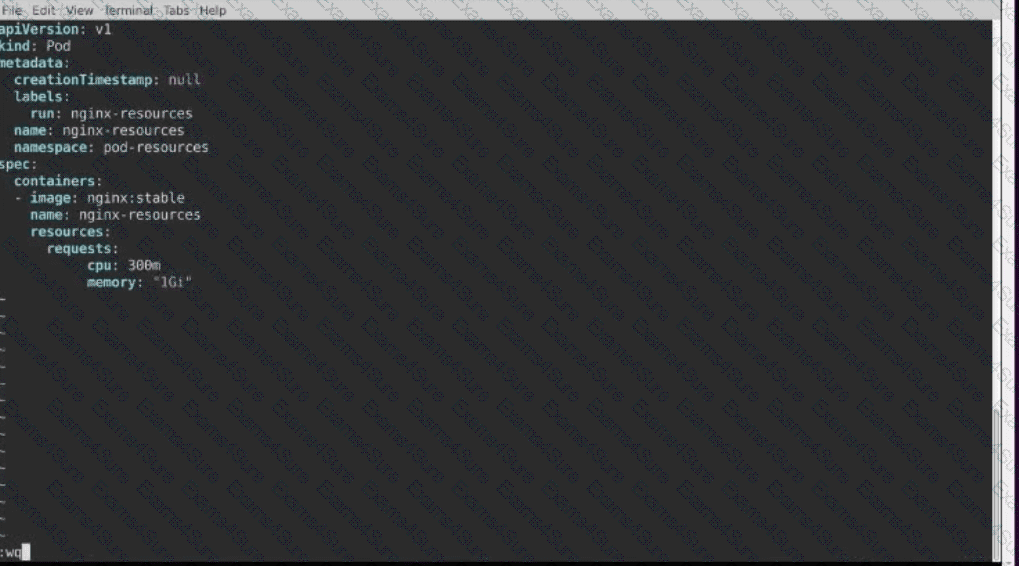
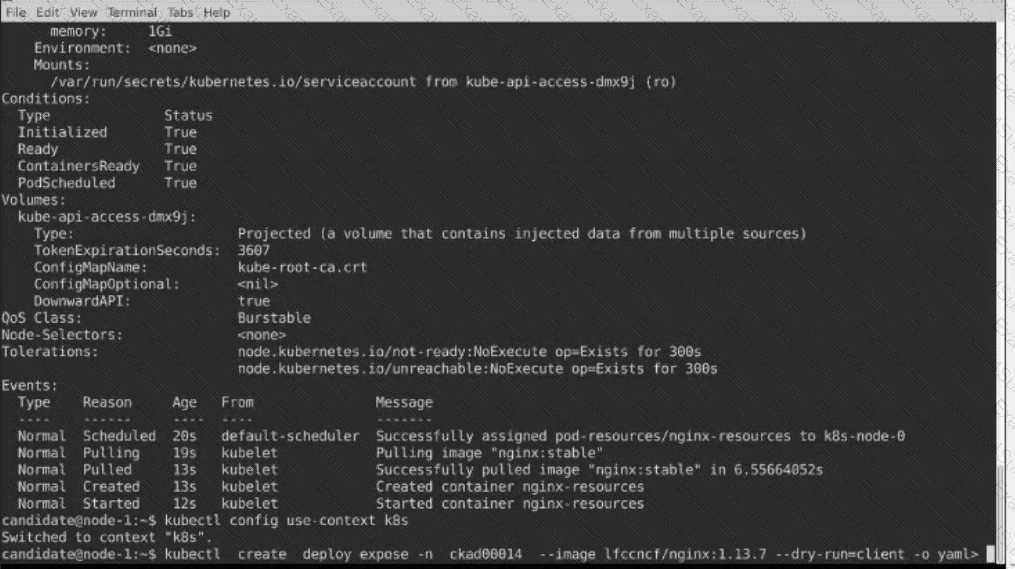
Create a Pod named nginx resources in the existing pod resources namespace.
Specify a single container using nginx:stable image.
Specify a resource request of 300m cpus and 1G1 of memory for the Pod’s container.


Context
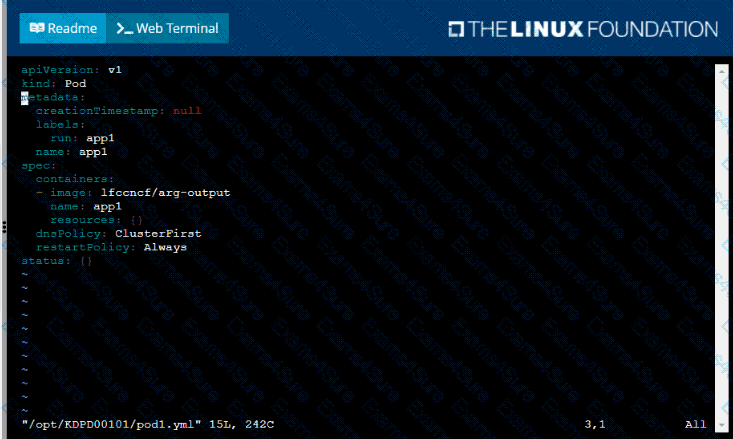
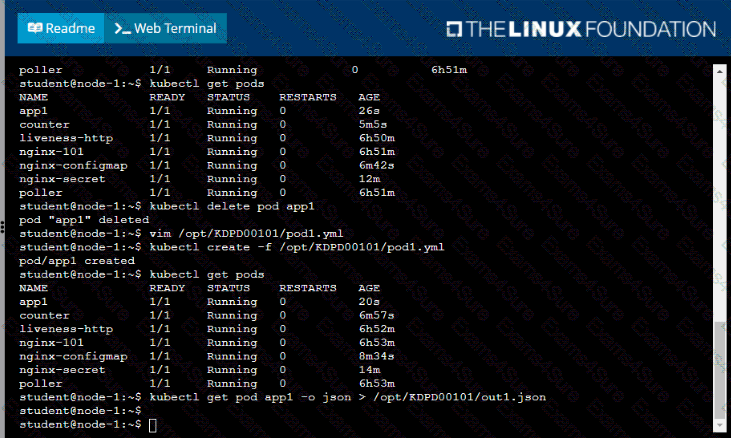
Anytime a team needs to run a container on Kubernetes they will need to define a pod within which to run the container.
Task
Please complete the following:
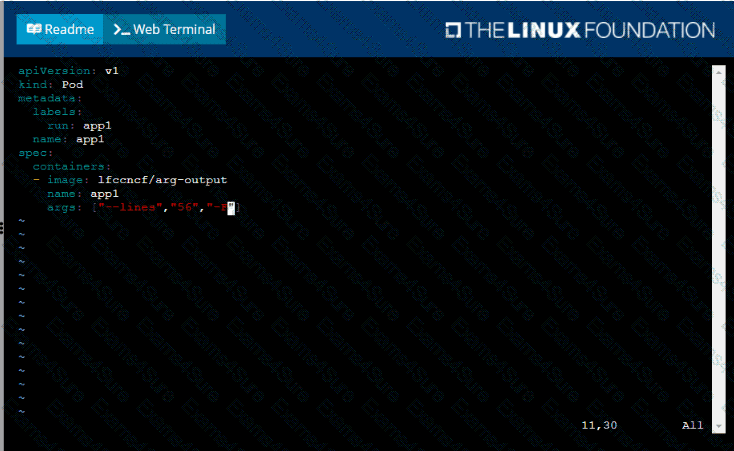
• Create a YAML formatted pod manifest
/opt/KDPD00101/podl.yml to create a pod named app1 that runs a container named app1cont using image Ifccncf/arg-output
with these command line arguments: -lines 56 -F
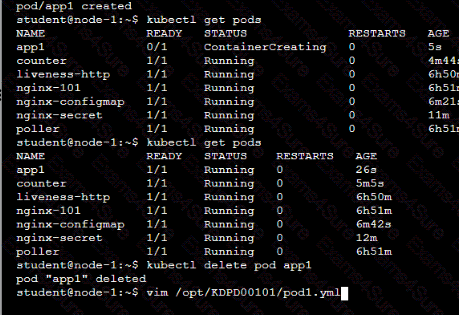
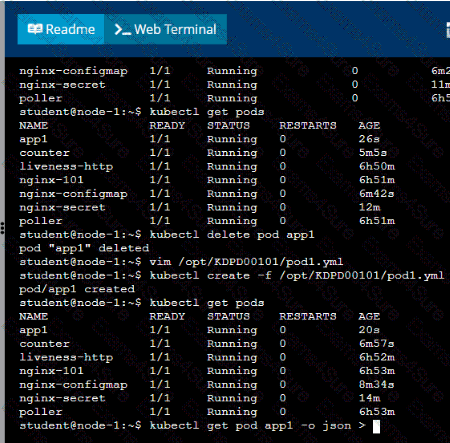
• Create the pod with the kubect1 command using the YAML file created in the previous step
• When the pod is running display summary data about the pod in JSON format using the kubect1 command and redirect the output to a file named /opt/KDPD00101/out1.json
• All of the files you need to work with have been created, empty, for your convenience


Context
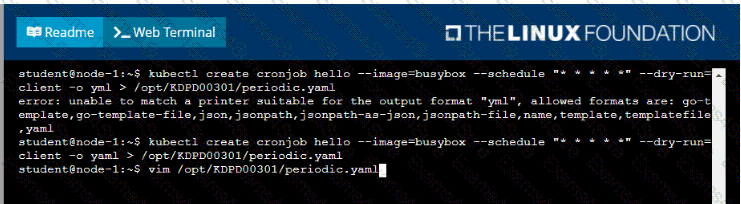
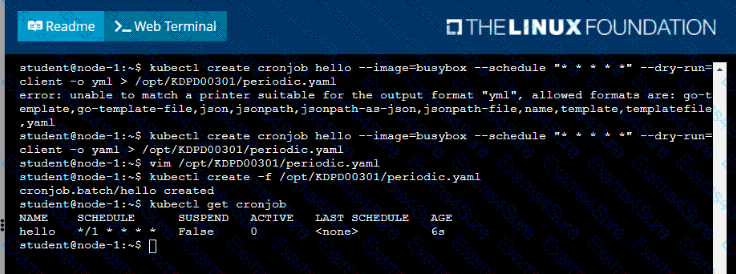
Developers occasionally need to submit pods that run periodically.
Task
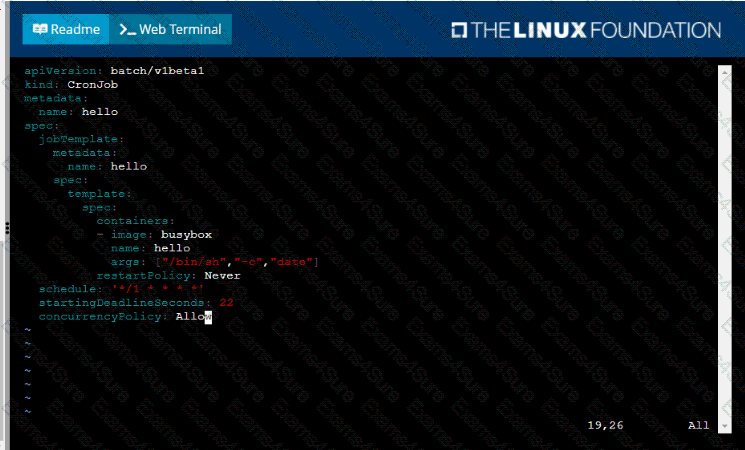
Follow the steps below to create a pod that will start at a predetermined time and]which runs to completion only once each time it is started:
• Create a YAML formatted Kubernetes manifest /opt/KDPD00301/periodic.yaml that runs the following shell command: date in a single busybox container. The command should run every minute and must complete within 22 seconds or be terminated oy Kubernetes. The Cronjob namp and container name should both be hello
• Create the resource in the above manifest and verify that the job executes successfully at least once


Exam style questions across every CKAD domain
Last Update 2 days ago
Total Questions : 48
Start with our free CKAD practice questions, carefully crafted to mirror the domains, phrasing, and difficulty of the real Kubernetes Application Developer exam. Each CKAD exam question comes with a detailed rationale that explains not just which answer is correct but why the others fall short. That's how concepts stick. Use the free set to benchmark yourself: identify your Linux Foundation weak domains, see where you're losing marks, and build a focused study plan in minutes.



