Refer to the exhibit.
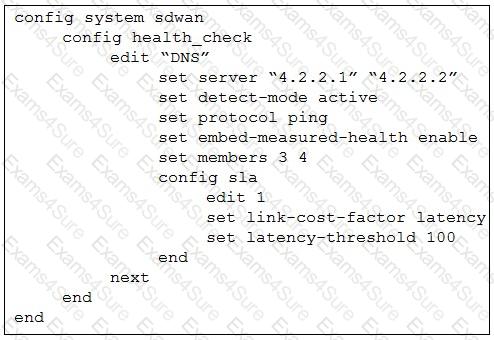
The exhibit shows the health-check configuration on a FortiGate device used as a spoke. You notice that the hub FortiGate doesn’t prioritize the traffic as expected.
Which two configuration elements should you check on the hub? (Choose two.)
Refer to the exhibit.
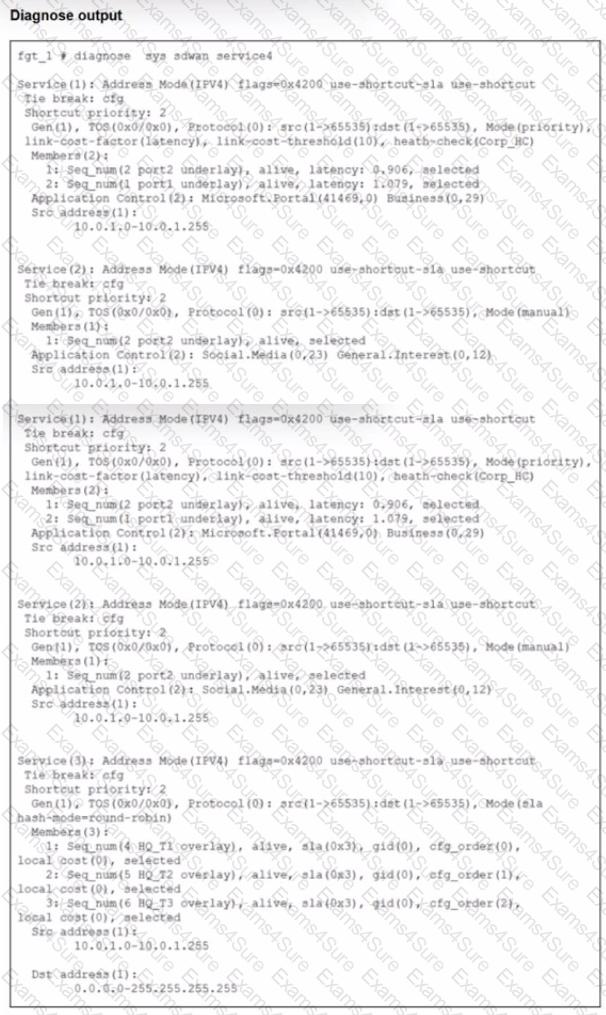
The exhibit shows output of the command diagnose sys adwan aervice4 collected on a FortiGate device.
The administrator wants to know through which interface FortiGate will steer traffic from local users on subnet 10.0.1.0/255.255.255.192 and with a destination of the social media application Facebook.
Based on the exhibits, which two statements are correct? (Choose two.)
Exhibit.
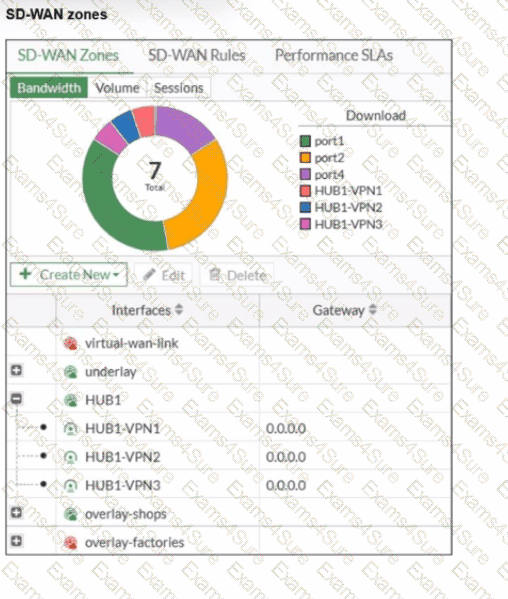
Refer to the exhibit, which shows an SD-WAN zone configuration on the FortiGate GUI. What can you conclude about the zone and member configuration on this device?
Refer to the exhibit.
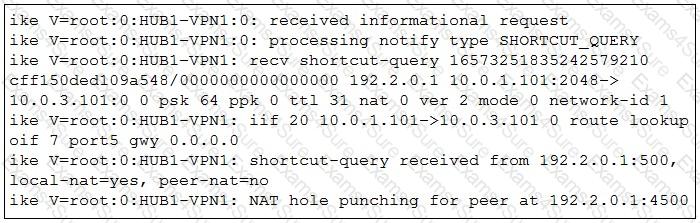
Which statement best describe the role of the ADVPN device in handling traffic?
The administrator uses the FortiManager SD-WAN overlay template to prepare an SD-WAN deployment. Using information provided through the SD-WAN overlay template wizard, FortiManager creates templates ready to install on the spoke and hub devices.
What are the three templates created by the SD-WAN overlay template for a spoke device? (Choose three.)
Refer to the exhibit.
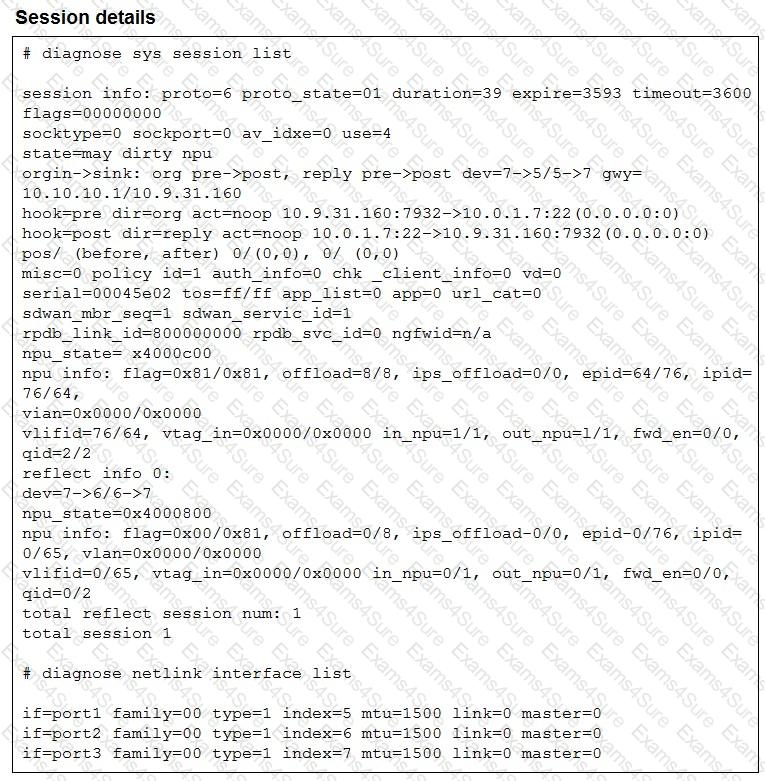
The exhibit shows the details of a session and the index numbers of some relevant interfaces on a FortiGate device that supports hardware offloading.
Based on the information shown in the exhibits, which two conclusions can you draw? (Choose two.)
Refer to the exhibit.
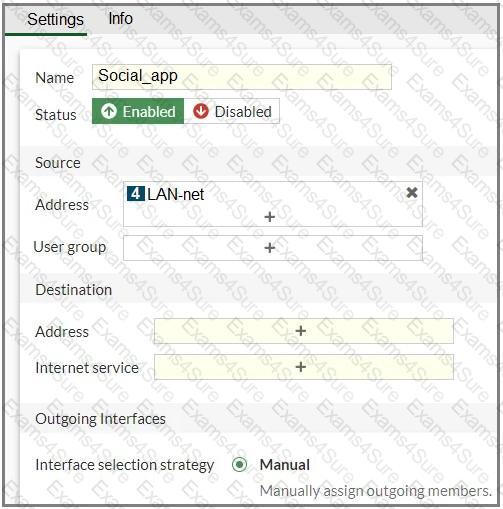
You configure SD-WAN on a standalone FortiGate device. You want to create an SD-WAN rule that steers Facebook and Linkedin traffic through the less costly internet link. The FortiGate GUI page appears as shown in the exhibit.
What should you do to set Facebook and LinkedIn as destinations?
You are tasked with configuring ADVPN 2.0 on an SD-WAN topology already configured for ADVPN. What should you do to implement ADVPN 2.0 in this scenario?
Refer to the exhibits.
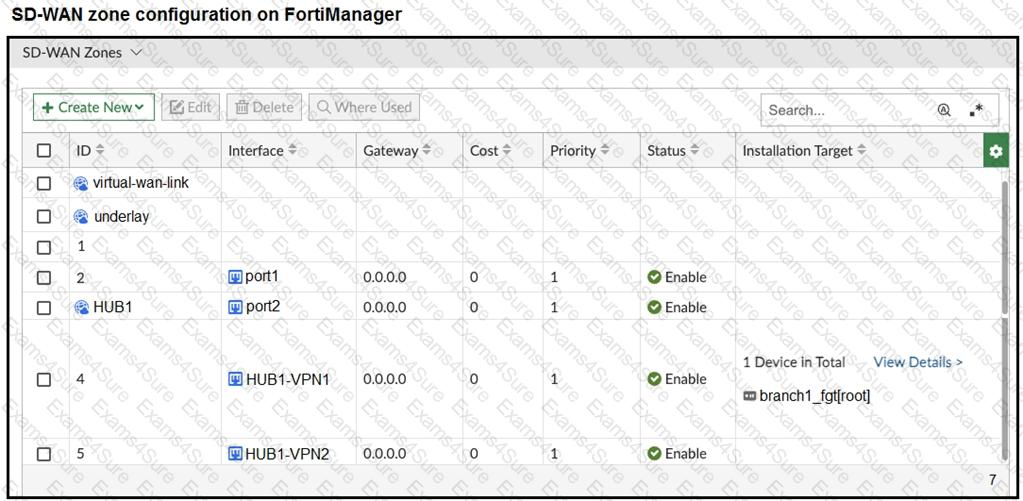
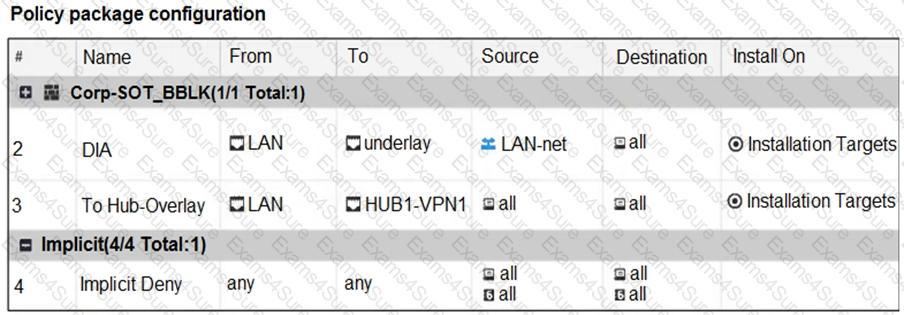
The exhibits show the SD-WAN zone configuration of an SD-WAN template prepared on FortiManager and the policy package configuration.
When the administrator tries to install the configuration changes, FortiManager fails to commit.
What should the administrator do to fix the issue?
Refer to the exhibits.
You use FortiManager to configure SD-WAN on three branch devices.
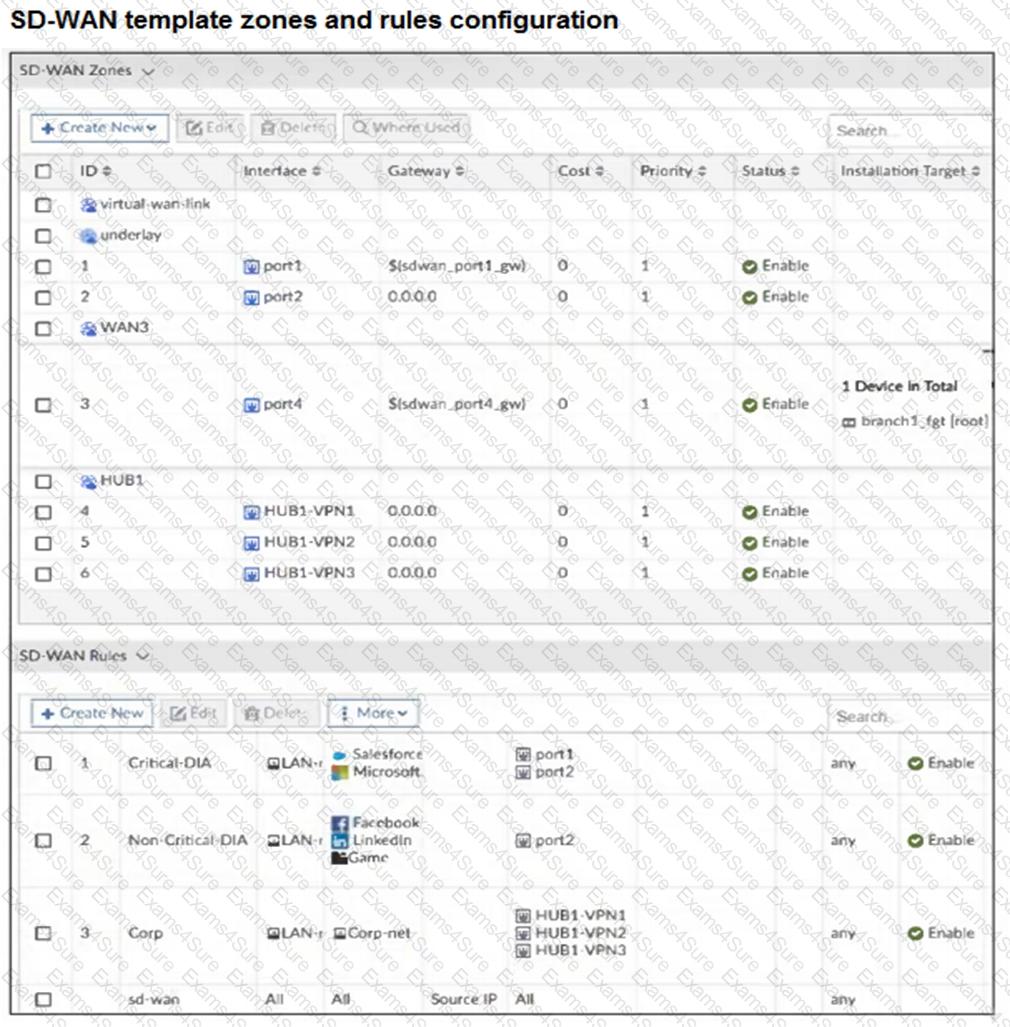
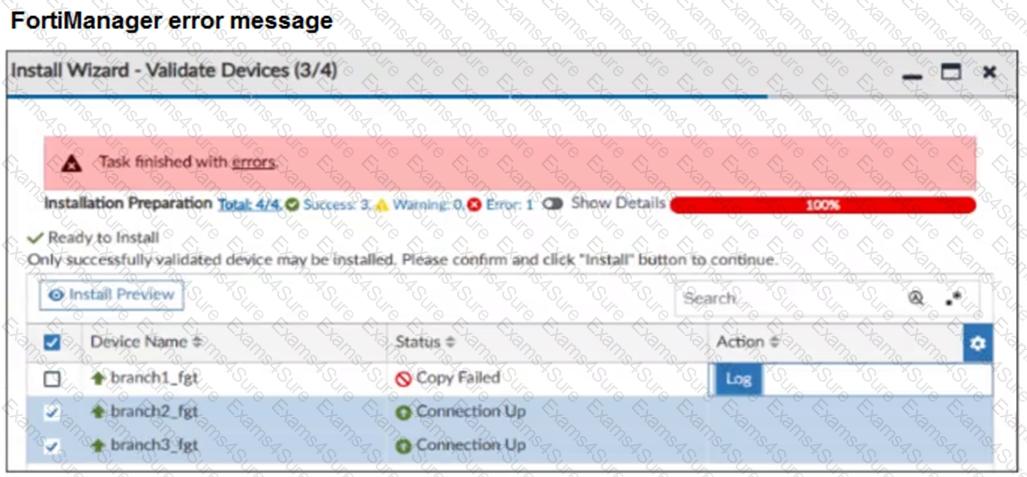
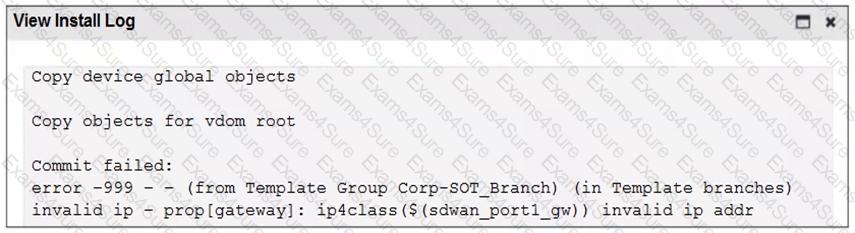
When you install the device settings, FortiManager prompts you with the error “Copy Failed” for the device branch1_fgt. When you click the log button, FortiManager displays the message shown in the exhibit.
There are two different ways to resolve this issue. Based on the exhibits, which methods could you use? (Choose two.)

Exam style questions across every FCSS_SDW_AR-7.4 domain
Last Update 4 days ago
Total Questions : 68
Start with our free FCSS_SDW_AR-7.4 practice questions, carefully crafted to mirror the domains, phrasing, and difficulty of the real Fortinet Certified Solution Specialist exam. Each FCSS_SDW_AR-7.4 exam question comes with a detailed rationale that explains not just which answer is correct but why the others fall short. That's how concepts stick. Use the free set to benchmark yourself: identify your Fortinet weak domains, see where you're losing marks, and build a focused study plan in minutes.