Exam style questions across every INF-306 domain
Last Update 2 days ago
Total Questions : 68
Start with our free INF-306 practice questions, carefully crafted to mirror the domains, phrasing, and difficulty of the real Information Technology Specialist exam. Each INF-306 exam question comes with a detailed rationale that explains not just which answer is correct but why the others fall short. That's how concepts stick. Use the free set to benchmark yourself: identify your IT Specialist weak domains, see where you're losing marks, and build a focused study plan in minutes.

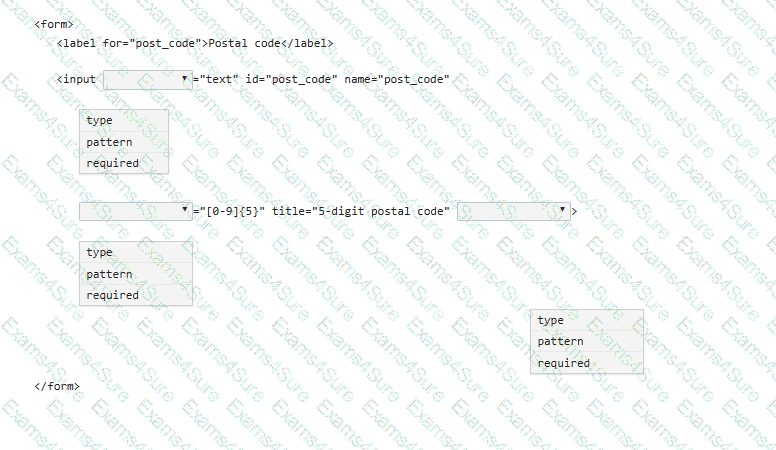
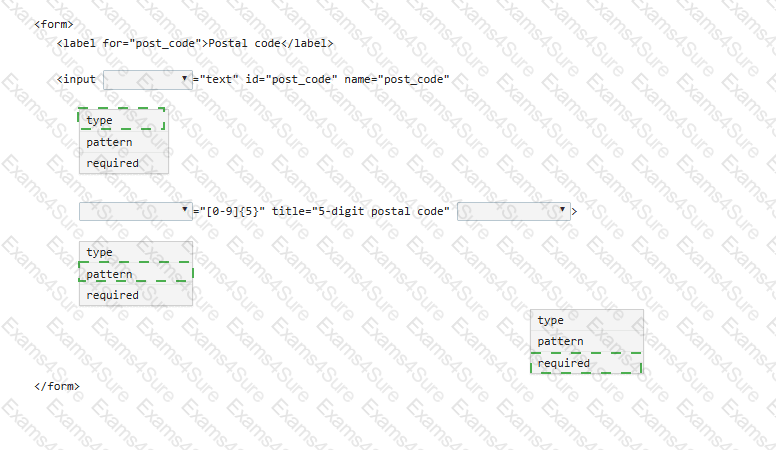
You need to complete a postal code input form element (post_code). Include attributes to make the field mandatory, set the data type as text, and limit the input to five numeric digits.
Complete the code by selecting the correct option from each drop-down list.
Note: You will receive partial credit for each correct selection.
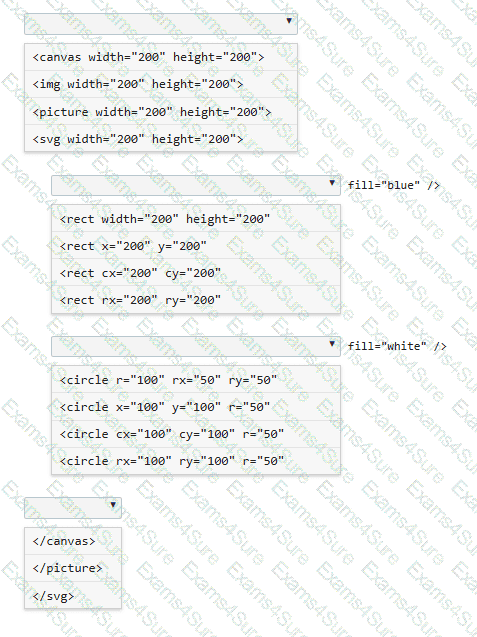
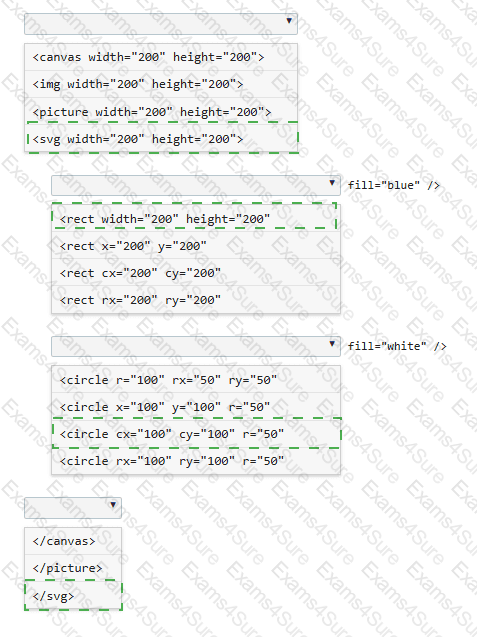
You need to draw a blue rectangle that meets these conditions:
• It is 200 by 200 pixels.
• It contains a white circle that is centered within the rectangle.
• The circle has a 50-pixel radius.
• The image should appear as follows: a blue square with a centered white circle.
Refer to the image on the left.
You need to ensure that the image scales without distortion when the page is resized. You must not be required to use JavaScript.
Complete the code by selecting the correct option from each drop-down list.
Note: You will receive partial credit for each correct selection.
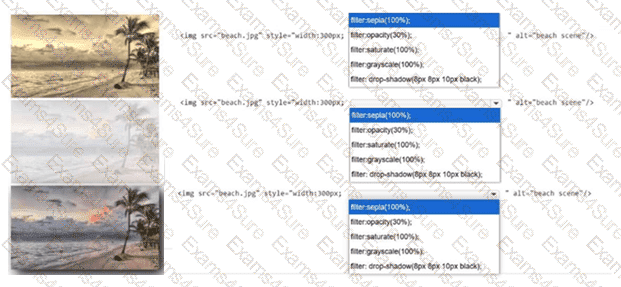
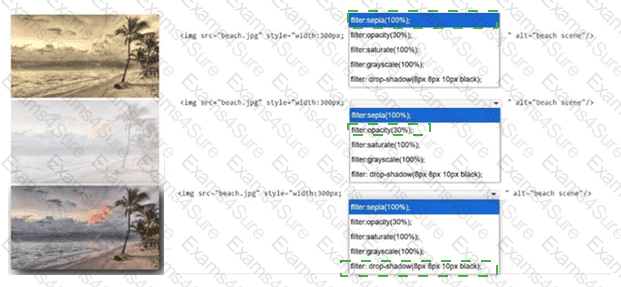
Identify the filter applied to each image.
Complete the markup by selecting the correct option from each drop-down list.
Note: You will receive partial credit for each correct selection.
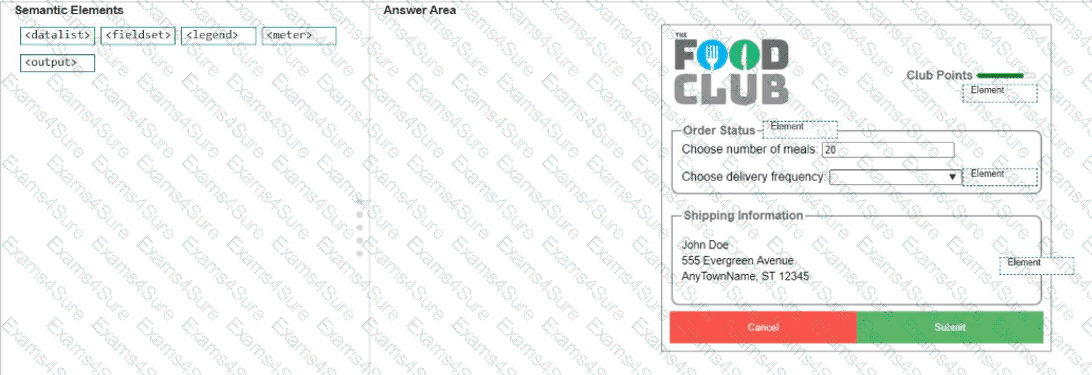
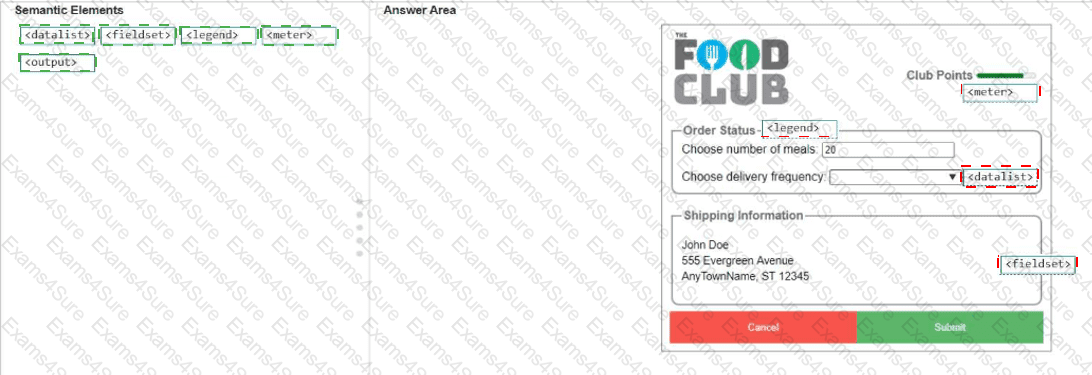
You need to identify the form elements.
Move the appropriate semantic elements from the list on the left to the correct locations on the right.
Note: You will receive partial credit for each correct response.
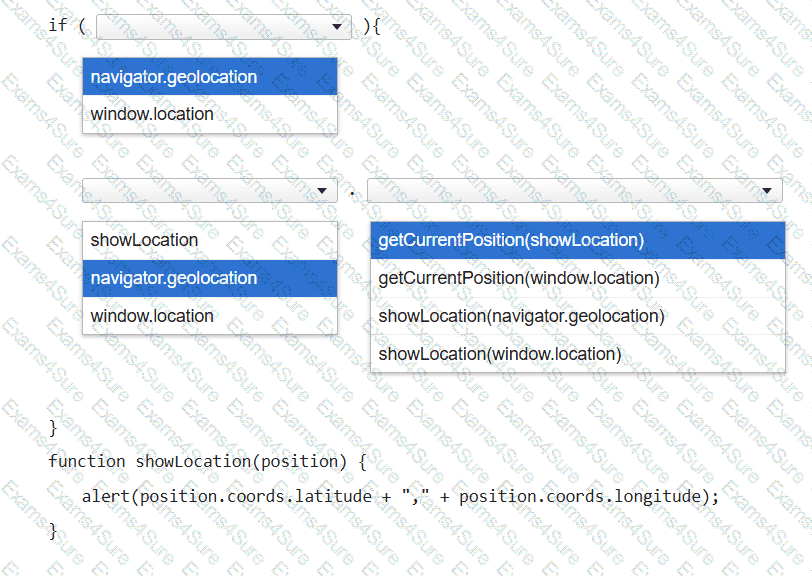
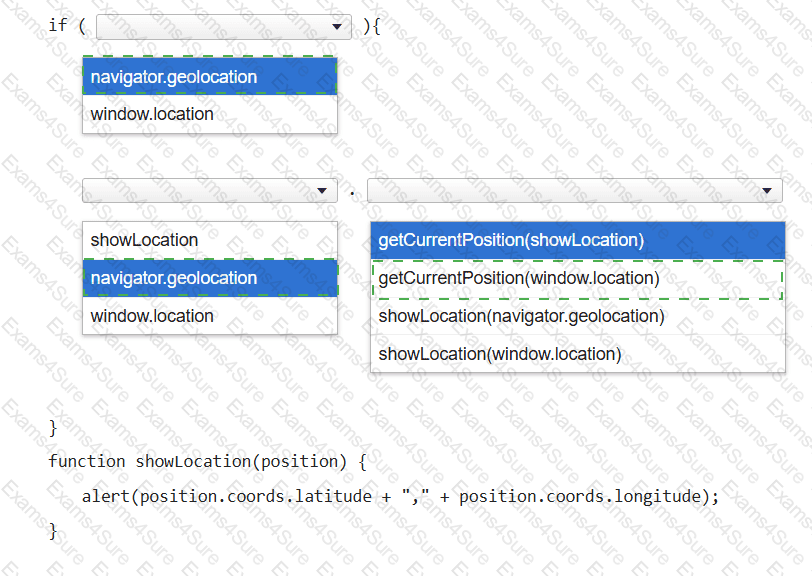
You want to display a message box showing the user ' s current latitude and longitude as identified by the user’s browser.
Complete the code by selecting the correct option from each drop-down list.
Note: You will receive partial credit for each correct selection.
You create an interface for a touch-enabled application. Some input buttons do not trigger when tapped. What are two possible causes?
You need to create the layout shown, which defines five content areas:
Logo and page title
Menu
Main content area
Additional content area
Copyright and contact information
You define the following classes:
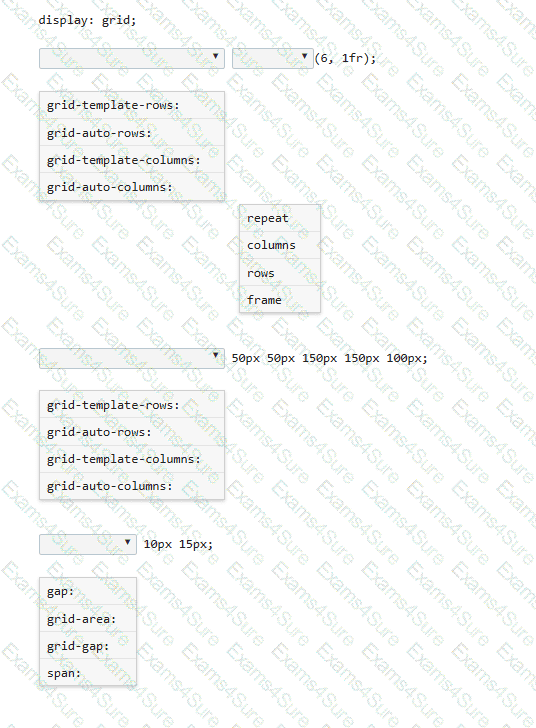
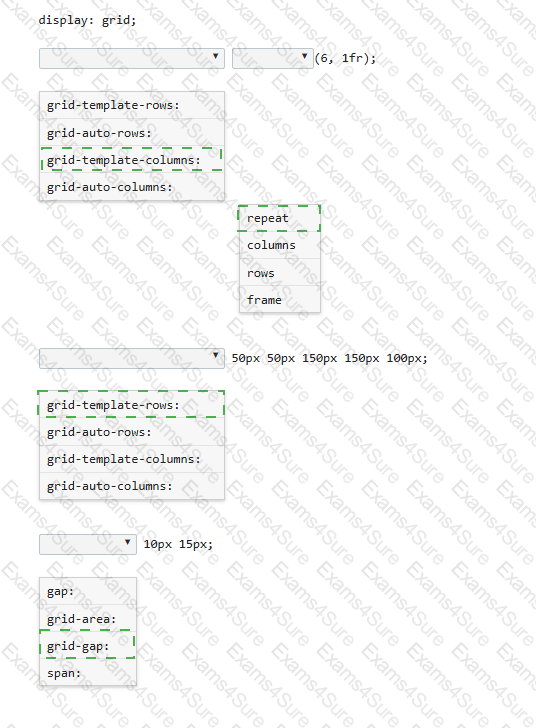
You need to define a grid that meets the following requirements:
• Explicitly sets the width of 6 equal columns of 1 fraction
• Explicitly sets 5 varied sized rows
• Defines 15px of space between each grid column
• Defines 10px between each grid row
Complete the code by selecting the correct option from each drop-down list.