Create a User named john, create the CSR Request, fetch the certificate of the user after approving it.
Create a Role name john-role to list secrets, pods in namespace john
Finally, Create a RoleBinding named john-role-binding to attach the newly created role john-role to the user john in the namespace john.
To Verify: Use the kubectl auth CLI command to verify the permissions.
Create a PSP that will only allow the persistentvolumeclaim as the volume type in the namespace restricted.
Create a new PodSecurityPolicy named prevent-volume-policy which prevents the pods which is having different volumes mount apart from persistentvolumeclaim.
Create a new ServiceAccount named psp-sa in the namespace restricted.
Create a new ClusterRole named psp-role, which uses the newly created Pod Security Policy prevent-volume-policy
Create a new ClusterRoleBinding named psp-role-binding, which binds the created ClusterRole psp-role to the created SA psp-sa.
Hint:
Also, Check the Configuration is working or not by trying to Mount a Secret in the pod maifest, it should get failed.
POD Manifest:
apiVersion: v1
kind: Pod
metadata:
name:
spec:
containers:
- name:
image:
volumeMounts:
- name:
mountPath:
volumes:
- name:
secret:
secretName:
Context
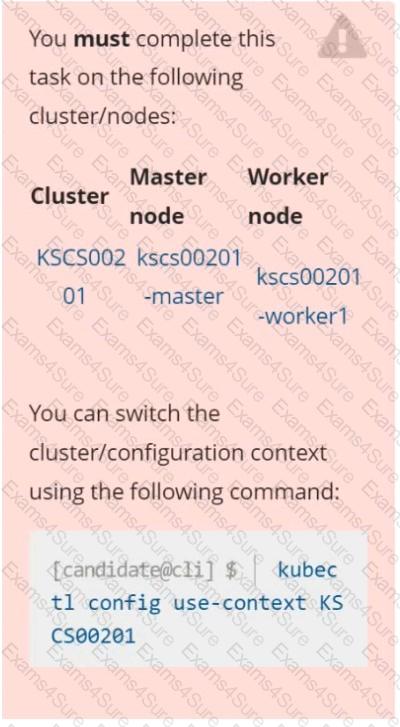
A CIS Benchmark tool was run against the kubeadm-created cluster and found multiple issues that must be addressed immediately.
Task
Fix all issues via configuration and restart the affected components to ensure the new settings take effect.
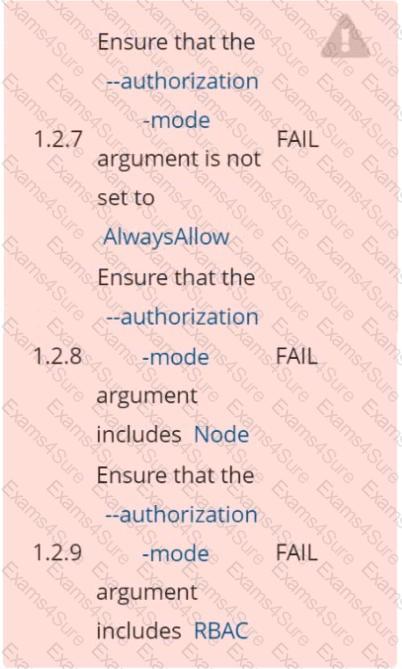
Fix all of the following violations that were found against the API server:
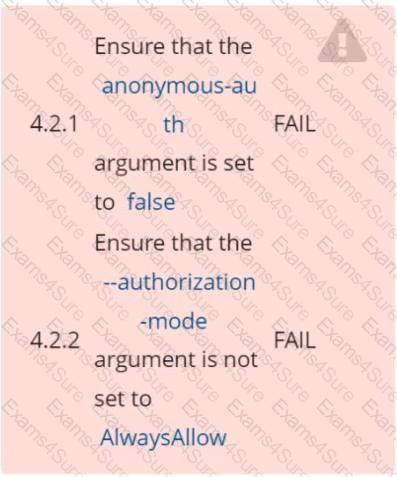
Fix all of the following violations that were found against the Kubelet:
Fix all of the following violations that were found against etcd:
a. Retrieve the content of the existing secret named default-token-xxxxx in the testing namespace.
Store the value of the token in the token.txt
b. Create a new secret named test-db-secret in the DB namespace with the following content:
username: mysql
password: password@123
Create the Pod name test-db-pod of image nginx in the namespace db that can access test-db-secret via a volume at path /etc/mysql-credentials
Enable audit logs in the cluster, To Do so, enable the log backend, and ensure that
1. logs are stored at /var/log/kubernetes-logs.txt.
2. Log files are retained for 12 days.
3. at maximum, a number of 8 old audit logs files are retained.
4. set the maximum size before getting rotated to 200MB
Edit and extend the basic policy to log:
1. namespaces changes at RequestResponse
2. Log the request body of secrets changes in the namespace kube-system.
3. Log all other resources in core and extensions at the Request level.
4. Log "pods/portforward", "services/proxy" at Metadata level.
5. Omit the Stage RequestReceived
All other requests at the Metadata level
Cluster: dev
Master node: master1
Worker node: worker1
You can switch the cluster/configuration context using the following command:
[desk@cli] $ kubectl config use-context dev
Task:
Retrieve the content of the existing secret named adam in the safe namespace.
Store the username field in a file names /home/cert-masters/username.txt, and the password field in a file named /home/cert-masters/password.txt.
1. You must create both files; they don't exist yet.
2. Do not use/modify the created files in the following steps, create new temporary files if needed.
Create a new secret names newsecret in the safe namespace, with the following content:
Username: dbadmin
Password: moresecurepas
Finally, create a new Pod that has access to the secret newsecret via a volume:
Namespace:safe
Pod name:mysecret-pod
Container name:db-container
Image:redis
Volume name:secret-vol
Mount path:/etc/mysecret
Context
For testing purposes, the kubeadm provisioned cluster 's API server
was configured to allow unauthenticated and unauthorized access.
Task
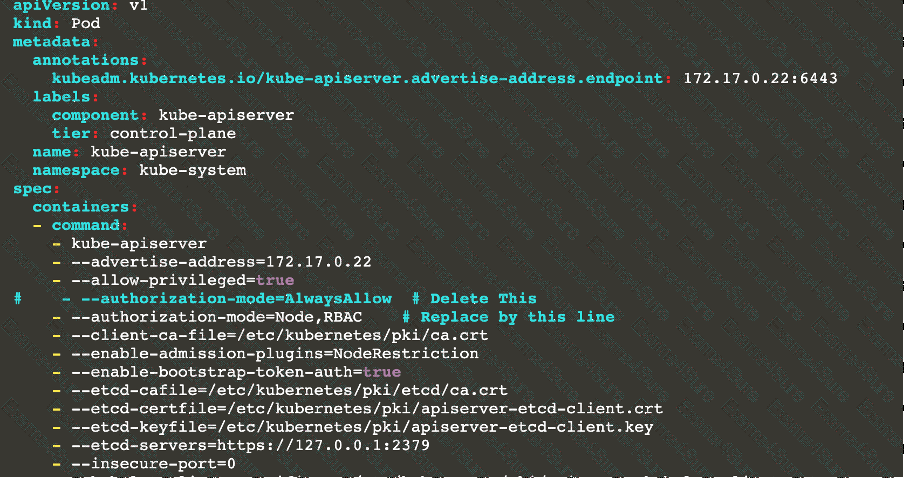
First, secure the cluster 's API server configuring it as follows:
. Forbid anonymous authentication
. Use authorization mode Node,RBAC
. Use admission controller NodeRestriction
The cluster uses the Docker Engine as its container runtime . If needed, use the docker command to troubleshoot running containers.
kubectl is configured to use unauthenticated and unauthorized access. You do not have to change it, but be aware that kubectl will stop working once you have secured the cluster .
You can use the cluster 's original kubectl configuration file located at etc/kubernetes/admin.conf to access the secured cluster.
Next, to clean up, remove the ClusterRoleBinding
system:anonymous.
You can switch the cluster/configuration context using the following command:
[desk@cli] $ kubectl config use-context dev
Context:
A CIS Benchmark tool was run against the kubeadm created cluster and found multiple issues that must be addressed.
Task:
Fix all issues via configuration and restart the affected components to ensure the new settings take effect.
Fix all of the following violations that were found against the API server:
1.2.7 authorization-mode argument is not set to AlwaysAllow FAIL
1.2.8 authorization-mode argument includes Node FAIL
1.2.7 authorization-mode argument includes RBAC FAIL
Fix all of the following violations that were found against the Kubelet:
4.2.1 Ensure that the anonymous-auth argument is set to false FAIL
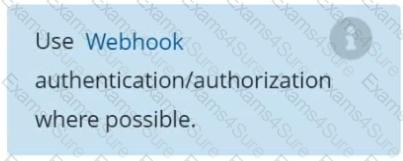
4.2.2 authorization-mode argument is not set to AlwaysAllow FAIL (Use Webhook autumn/authz where possible)
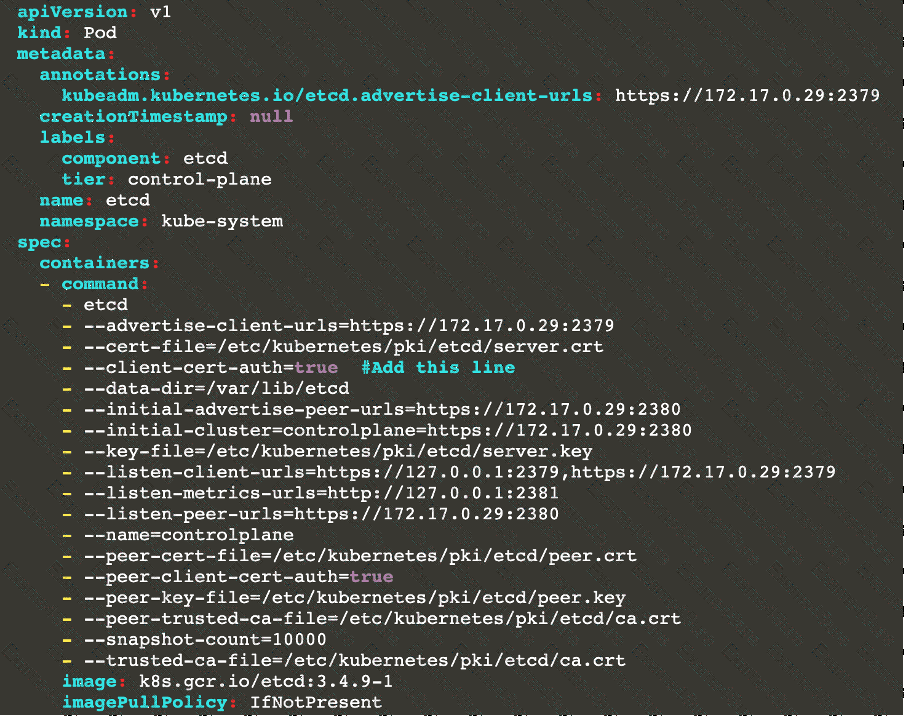
Fix all of the following violations that were found against etcd:
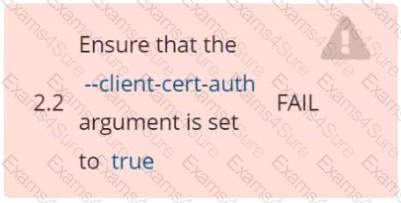
2.2 Ensure that the client-cert-auth argument is set to true
Task
Create a NetworkPolicy named pod-access to restrict access to Pod users-service running in namespace dev-team.
Only allow the following Pods to connect to Pod users-service:
 Pods in the namespace qa
 Pods with label environment: testing, in any namespace